













SkyHills Casino Netherlands — All Offers and Promo Codes
SkyHills Casino — Bonuses & Promotions
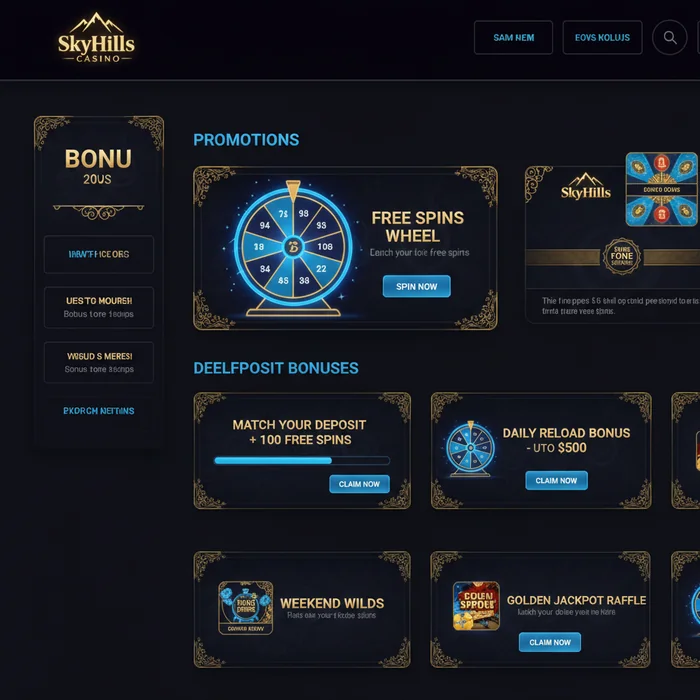
SkyHills Casino offers new players a welcome bonus and ongoing promotions that are processed directly through your account. On this page you'll find the key facts: bonus amount, wagering requirements and terms. In-depth bonus analyses and comparisons can be found on our bonus specialist page.
Players from the Netherlands can claim the welcome bonus as soon as they create an account and make their first deposit. Please note that SkyHills Casino does not hold a licence from the Netherlands Gambling Authority (KSA) — see the disclaimer at the bottom of this page for the full explanation.
The SkyHills Welcome Bonus
The SkyHills Casino welcome bonus is a 200% deposit match on your first deposit, up to a maximum of €1,500. A deposit of €20 gives you €40 in bonus funds; the maximum deposit of €750 gives you €1,500 in bonus funds.
| Bonus Detail | Value |
|---|---|
| Deposit Match | 200% |
| Maximum Bonus | €1,500 |
| Minimum Deposit | €20 |
| Wagering Requirement | 35× (deposit + bonus) |
| Validity Period | 7 days after activation |
| Bonus Code | Not required |
| Cashable | Yes (cashable bonus) |
| Target Audience | New players, first deposit |
How to Claim the Bonus
- ✓ Create an account — Register via the sign-up page. Use a valid email address; this is also the address used for account recovery.
- ✓ Verify your identity (KYC) — Upload your ID before making your first deposit. Verified accounts process deposits and bonus activation faster.
- ✓ Make your first deposit — Deposit a minimum of €20. The bonus is credited automatically; no bonus code is required.
- ✓ Start wagering — Meet the 35× wagering requirement within 7 days to make the bonus amount withdrawable.
What Does the Wagering Requirement Actually Cost You? The Calculation
The Real Cost of 35×
The SkyHills Casino wagering requirement applies to both the deposit and the bonus combined. This makes the calculation different from bonuses where the requirement only applies to the bonus amount.
Deposit: €750
Bonus (200%): €1,500
Total wagering amount: €750 + €1,500 = €2,250
Wagering requirement: 35 × €2,250 = €78,750
With an average house edge of 3% on slots:
Expected loss: 3% × €78,750 = €2,362.50
That exceeds the bonus itself. The bonus therefore only has positive expected value if you get lucky or if you play games with a lower house edge and high RTP.
Example calculation — minimum deposit
Bonus (200%): €40
Total: €60
Wagering requirement: 35 × €60 = €2,100
Expected loss (3%): €63
The expected loss exceeds the bonus, but the amount at risk is manageable for recreational players.
For a complete analysis — including game weighting, maximum bet during bonus play and break-even calculations — please refer to our dedicated bonus page.
The Fine Print
| Condition | What It Means | Impact on You |
|---|---|---|
| Wagering Requirement | 35× on deposit + bonus | High total requirement — plan your play sessions carefully |
| Validity | 7 days after activation | Short time limit; incomplete bonuses expire along with any bonus winnings |
| Minimum Deposit | €20 | Lowest qualifying deposit |
| Bonus Code | Not required | Bonus is automatically awarded after deposit |
| Game Weighting | Not specified in current documentation | Check the full terms — table games often count only partially |
| Country Restrictions | Check whether the Netherlands qualifies | SkyHills does not hold a KSA licence — see disclaimer |
Bonus Tips for SkyHills Players
- Tip 1 — Verify first, deposit second: Complete KYC verification before making your first deposit. An unverified account can block withdrawals after you've completed the wagering requirement.
- Tip 2 — Save your bonus activation confirmation: Keep the email confirmation as proof of your activation time. If there's a dispute about the 7-day window, you'll need documentation.
- Tip 3 — Use crypto for faster processing: SkyHills Casino is crypto-friendly. Crypto deposits are typically processed faster, allowing you to make the most of your 7-day bonus window.
- Tip 4 — Set a session limit before you start: Through your account settings, you can set daily or weekly session limits. Do this before you begin working through the wagering requirement — not afterwards.
- Tip 5 — Read game exclusions before you play: Some games do not count towards the wagering requirement or are excluded entirely. Playing an excluded game while you have an active bonus can result in your bonus being cancelled.
Tax on Bonus Winnings in the Netherlands
The Netherlands has a Gambling Tax Act (Wet op de kansspelbelasting). Gambling tax is set at 30.1% on net prize money (winnings minus stakes wagered within the same calendar month). This rate applies to online gambling.
Because SkyHills Casino does not hold a KSA licence, the platform does not automatically remit this tax on behalf of the player. With KSA-licensed providers, the operator withholds the gambling tax; with unlicensed providers, you as the player are personally responsible for filing and paying it.
Tax rate: 30.1% on net gambling winnings per calendar month
Who pays: the player themselves (no automatic withholding by SkyHills)
Bonus winnings: count as winnings once they become withdrawable (after completing the wagering requirement)
Advice: keep a gaming log recording deposits, bonuses received and withdrawals per month
Consult the Dutch Tax Authority or a tax adviser for your personal situation.
For detailed information about Dutch gambling tax and your filing obligations, visit belastingdienst.nl.
SkyHills Bonus Overview — All Types
| Bonus Type | Amount | Wagering Requirement | Validity | Min. Deposit |
|---|---|---|---|---|
| Welcome Bonus (1st deposit) | 200% up to €1,500 | 35× (deposit + bonus) | 7 days | €20 |
| Reload Bonus | See bonus page | See bonus page | See bonus page | See bonus page |
| Free Spins | See bonus page | See bonus page | See bonus page | See bonus page |
| Cashback | See bonus page | See bonus page | See bonus page | See bonus page |
| VIP / Loyalty Bonus | See bonus page | See bonus page | See bonus page | See bonus page |
| No Deposit Bonus | See bonus page | See bonus page | See bonus page | N/A |
Current SkyHills Casino promotions and ongoing offers can be found on our dedicated bonus page. That page is updated whenever a new promotion is launched.
All SkyHills Casino Bonuses
Welcome Bonus
The SkyHills Casino welcome bonus gives new players 200% on their first deposit up to €1,500. The wagering requirement is 35× on the deposit plus bonus within 7 days. No bonus code required.
Reload Bonus
Existing players may periodically qualify for a reload bonus on subsequent deposits. Specific percentages and limits are listed on the bonus page.
SkyHills Free Spins
Free spins are sometimes tied to deposit bonuses or specific promotions.
Cashback
A cashback bonus refunds a portion of net losses over a set period. Whether and when this is offered is listed in the current SkyHills Casino promotions on the bonus page.
SkyHills VIP & Loyalty Programme
SkyHills Casino has a loyalty structure for returning players. Details about levels and benefits are available through your account or via the bonus page.
No Deposit Bonus
A SkyHills Casino no deposit bonus is occasionally offered as a welcome promotion. Availability and terms vary — check the bonus page for the current status.
Weekend Promotions
Periodic weekend promotions may include extra bonus funds or free spins. Sign up for email notifications through your account settings to make sure you never miss a promotion.
Tournaments
SkyHills Casino regularly hosts tournaments where players compete for prize pools. Participation details and prize structures are described on the bonus page.
Refer a Friend
Through the referral programme, you receive a reward when a player you referred creates an account and makes a deposit. Current referral bonus amounts are listed on the bonus page.
SkyHills Bonus — Summary
The key facts: 200% welcome bonus up to €1,500, minimum deposit €20, wagering requirement 35× on both deposit and bonus, valid for 7 days. The bonus is cashable — you can withdraw winnings once the wagering requirement has been completed.
Make sure your account is fully verified before activating the bonus. An unverified account will delay withdrawals and can block bonus winnings. Read more about account security and KYC verification on our security page.
Ready to get started? Create your account via the sign-up page and claim the SkyHills Casino welcome bonus on your first deposit.
This platform is not licensed by the Netherlands Gambling Authority (KSA). It is not affiliated with CRUKS. To self-exclude with KSA-licensed operators, you can register at cruks.kansspelautoriteit.nl. We provide our own self-exclusion tools.
Gambling can be addictive. Play responsibly. 18+.
Help with gambling problems: AGOG | Jellinek (0900-1090) | Loket Kansspel